neuro-nav
Voici demo

My Voilà App

Voici deployed as a static site to GitHub Pages, for demo purposes.
It uses jupyterlite-xeus to build the Emscripten environment, including the xeus-python kernel and run dependencies.
✨ Try it in your browser ✨
https://voila-dashboards.github.io/voici-demo
💡 How to make your own deployment
https://user-images.githubusercontent.com/21197331/223079815-0ea78df4-5173-4adc-a2e4-e10b9593a9f4.webm
Then your site will be published under https://{USERNAME}.github.io/{DEMO_REPO_NAME}
📦 How to install extra packages
You can pre-install extra packages by adding them to the environment.yml file.
For example, if you want to create a Voici deployment with NumPy and Matplotlib pre-installed, you would need to edit the environment.yml file as following:
name: voici
channels:
  - https://repo.mamba.pm/emscripten-forge
  - conda-forge
dependencies:
  - xeus-python
  - numpy
  - matplotlib
Only no-arch packages from conda-forge and packages from emscripten-forge can be installed.
- How do I know if a package is
no-archonconda-forge?no-archmeans that the package is OS-independent, usually pure-python packages areno-arch. To check if your package isno-archonconda-forge, check if the “Platform” entry is “no-arch” in the https://beta.mamba.pm/channels/conda-forge?tab=packages page. If your package is notno-archbut is a pure Python package, then you should probably update the feedstock to turn your package into ano-archone.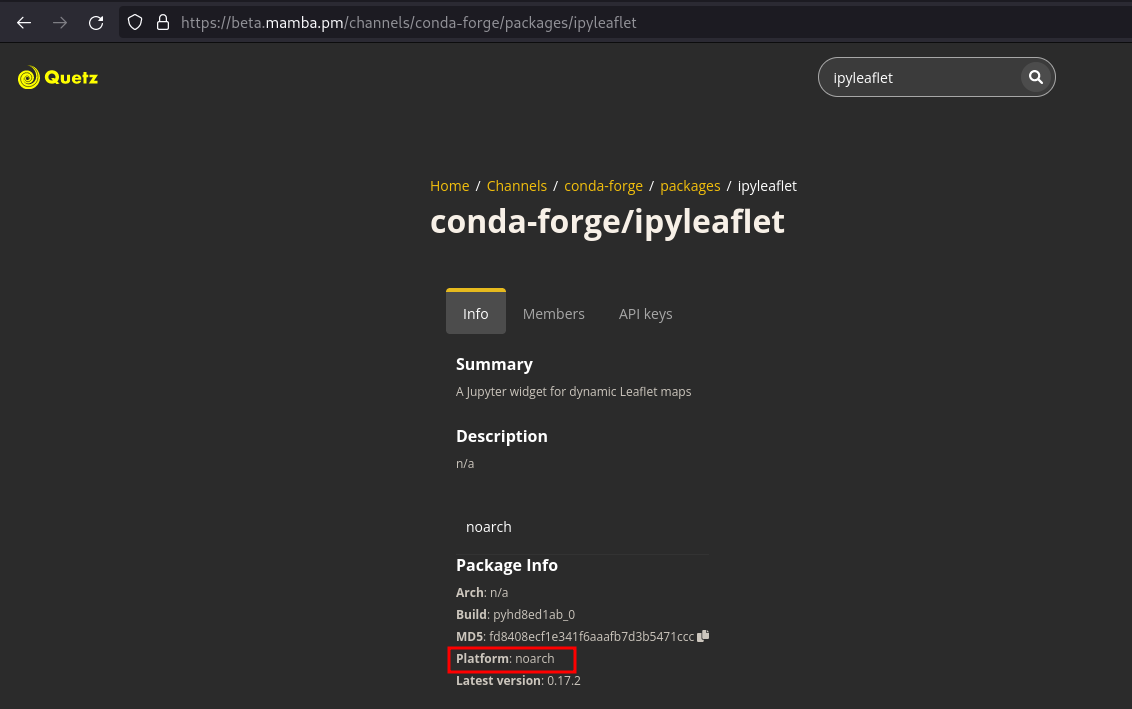
- How do I know if my package is on
emscripten-forge? You can see the list of packages pubished onemscripten-forgehere. In case your package is missing, or it’s not up-to-date, feel free to open an issue or a PR on https://github.com/emscripten-forge/recipes.